CSS Logical Properties: The Complete Guide for Modern Web Development
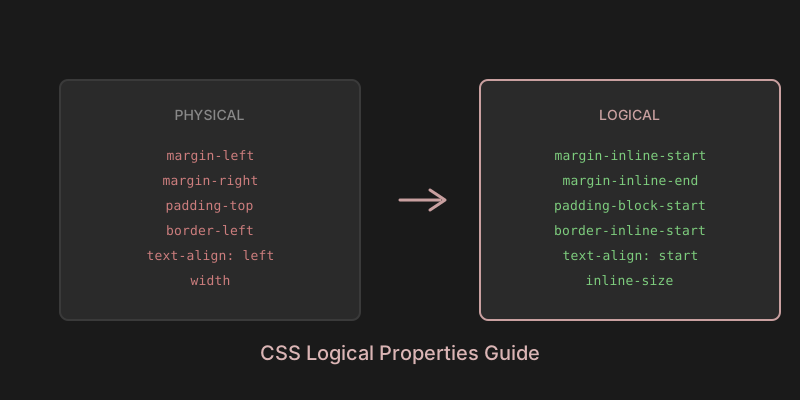
If you've been writing CSS for any length of time, you're familiar with properties like margin-left, padding-right, and border-top. These physical properties have served us well for decades, but they come with a significant limitation: they assume a left-to-right, top-to-bottom writing direction. Enter CSS Logical Properties — a modern approach that's changing how we think about layout and styling.
The Problem with Physical Properties
Traditional CSS properties are tied to the physical dimensions of the screen. When you write margin-left: 20px, you're explicitly saying "add space on the left side." This works perfectly for English and other left-to-right (LTR) languages. But what happens when your website needs to support Arabic, Hebrew, or Persian — languages that read from right to left (RTL)?
Historically, developers had two options: maintain separate stylesheets for RTL languages, or use complex CSS overrides with [dir="rtl"] selectors. Both approaches led to duplicated code, maintenance headaches, and inevitable bugs when someone forgot to update the RTL stylesheet.
The Birth of CSS Logical Properties
The CSS Working Group recognized this problem and began work on what would become CSS Logical Properties and Values Level 1. The specification was first drafted in 2017 and has since gained widespread browser support.
The core insight was simple but powerful: instead of thinking in terms of physical directions (left, right, top, bottom), we should think in terms of logical directions relative to the flow of content. This means "start" and "end" for the inline axis (the direction text flows), and "start" and "end" for the block axis (the direction blocks stack).
In a left-to-right language, "inline-start" means left and "inline-end" means right. In a right-to-left language, these automatically flip. The same content, the same CSS, but the layout adapts to the writing mode.
Understanding the Logical Model
CSS Logical Properties introduce two axes:
The Inline Axis runs in the direction of text flow. For horizontal writing modes (like English or Arabic), this is horizontal. For vertical writing modes (like traditional Japanese), this is vertical.
The Block Axis runs perpendicular to the inline axis. It's the direction in which blocks (paragraphs, divs, etc.) stack on top of each other.
Instead of left/right/top/bottom, we now have:
- inline-start: Where text begins (left in LTR, right in RTL)
- inline-end: Where text ends (right in LTR, left in RTL)
- block-start: Where blocks begin (typically top)
- block-end: Where blocks end (typically bottom)
How to Use CSS Logical Properties
Let's look at practical examples of converting physical properties to logical ones.
Margins and Padding
The most common use case is margins and padding:
/* Physical (old way) */
.card {
  margin-left: 20px;
  margin-right: 20px;
  padding-top: 16px;
  padding-bottom: 16px;
}

/* Logical (new way) */
.card {
  margin-inline-start: 20px;
  margin-inline-end: 20px;
  padding-block-start: 16px;
  padding-block-end: 16px;
}
You can also use shorthand properties:
/* Shorthand for both inline sides */
.card {
  margin-inline: 20px;
  padding-block: 16px;
}
Borders
Border properties follow the same pattern:
/* Physical */
.sidebar {
  border-left: 2px solid #ccc;
  border-top-left-radius: 8px;
  border-bottom-left-radius: 8px;
}

/* Logical */
.sidebar {
  border-inline-start: 2px solid #ccc;
  border-start-start-radius: 8px;
  border-end-start-radius: 8px;
}
Positioning
Positioning properties also have logical equivalents:
/* Physical */
.tooltip {
  position: absolute;
  top: 100%;
  left: 0;
}

/* Logical */
.tooltip {
  position: absolute;
  inset-block-start: 100%;
  inset-inline-start: 0;
}
Sizing
Even width and height have logical alternatives:
/* Physical */
.container {
  width: 100%;
  max-width: 1200px;
  height: auto;
  min-height: 100vh;
}

/* Logical */
.container {
  inline-size: 100%;
  max-inline-size: 1200px;
  block-size: auto;
  min-block-size: 100vh;
}
Text Alignment
Text alignment values also support logical keywords:
/* Physical */
.content {
  text-align: left;
}

/* Logical */
.content {
  text-align: start;
}
Why You Should Adopt Logical Properties Today
There are compelling reasons to start using logical properties in your projects:
Future-proof your code. As the web becomes increasingly global, supporting multiple writing directions isn't optional — it's essential. Logical properties make this support automatic.
Reduce code duplication. No more maintaining separate RTL stylesheets or littering your CSS with directional overrides. One stylesheet works for all writing modes.
Better developer experience. Once you internalize the logical model, it becomes more intuitive. "Start" and "end" describe intent better than arbitrary physical directions.
Excellent browser support. All modern browsers support CSS Logical Properties. According to Can I Use, global support exceeds 95% as of 2026.
Browser Support and Fallbacks
While browser support is excellent, you might need fallbacks for older browsers. A practical approach is to provide both physical and logical properties:
.element {
  /* Fallback for older browsers */
  margin-left: 20px;
  /* Modern browsers will use this */
  margin-inline-start: 20px;
}
Modern browsers understand both but will apply the logical property since it comes later in the cascade.
Making the Transition
Adopting logical properties doesn't have to happen overnight. You can start by using them in new code while gradually refactoring existing stylesheets. Tools like css2logical can automatically convert your existing CSS to use logical properties, making the transition smoother.
The web is global, and our CSS should reflect that. CSS Logical Properties represent a fundamental shift in how we approach layout — one that makes our stylesheets more flexible, maintainable, and inclusive. Whether you're building a simple blog or a complex application, logical properties are a tool worth mastering.
Start small, perhaps with margins and padding in a new component. As you grow comfortable with the logical model, expand your usage. Your future self — and your international users — will thank you.